


Best Ecommerce Tools for Beginners (2026): The Starter Stack I Recommend
November 19, 2026 | by Abdisalat Mohamed
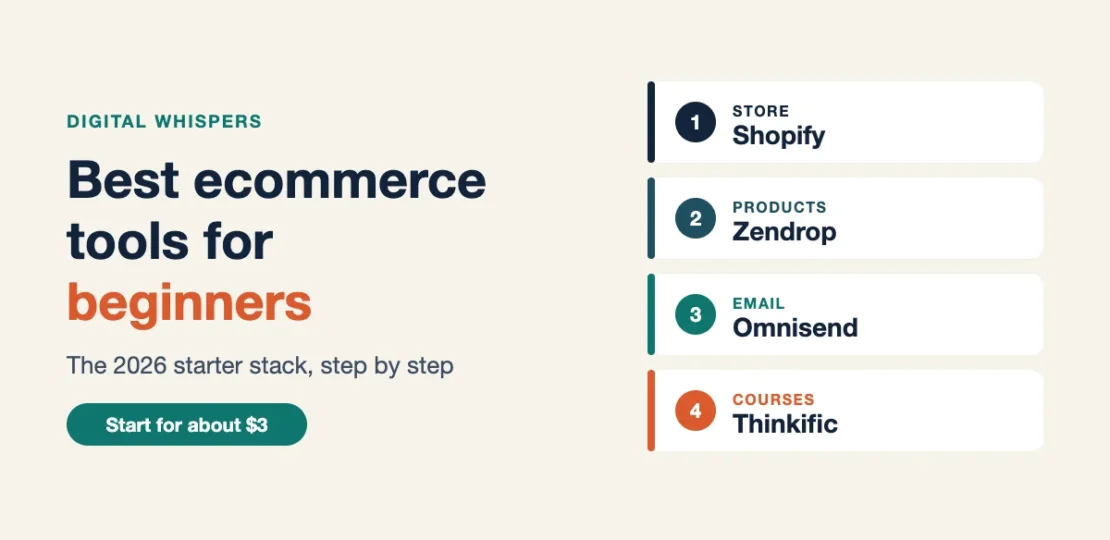
The best ecommerce tools for beginners are the ones that get you selling without big monthly bills: a store builder, a way to source products, an email tool to bring shoppers back, and, if you teach, a course platform. This is the starter stack I’d set up for a brand-new store in 2026, in the order I’d set it up. I build Shopify stores for clients and run my own course on Thinkific, so these picks come from tools I work with, not a list of logos.
Disclosure: some links in this post are affiliate links. If you sign up through them I may earn a commission at no extra cost to you. Prices checked on each tool’s pricing page in November 2026.
The beginner ecommerce stack at a glance
| What you need | Tool | Starting price (Nov 2026) | Read more |
|---|---|---|---|
| Online store | Shopify | 3 days free, then $1/month for 3 months; Basic is $39/mo ($29/mo billed yearly) | Basic vs Grow |
| Products to sell | Zendrop | Free plan; Pro $49/mo | Zendrop vs AutoDS vs DSers |
| US/EU suppliers (faster shipping) | Spocket | 7-day free trial; Starter $39.99/mo | Supplier app comparison |
| Email and abandoned carts | Omnisend | Free plan (250 contacts, 500 emails/mo) | Traffic but no sales fixes |
| Selling a course | Thinkific | 30-day free trial; Start $82/mo billed yearly | Thinkific pricing |
Put together, the store, product and email tools can cost about $3 in platform fees for your first three months: $1 a month for Shopify plus the free Zendrop and Omnisend plans. A domain, paid apps and ads cost extra.
1. Online store builder: Shopify
Shopify is where I start almost every client store. You get hosting, checkout, payments and a theme in one place, so you can focus on products instead of fixing a website.
- Why beginners like it: no coding, a fast checkout, and thousands of apps when you’re ready to grow.
- What it costs: right now you can try it 3 days free, then pay $1 a month for 3 months. After that, Basic is $39 a month, or $29 a month billed yearly.
- Watch out for: app subscriptions add up. Start with as few apps as possible.
Not sure which plan you’ll need after the trial? My Shopify Basic vs Grow breakdown shows the exact sales level where upgrading pays off. If you sell handmade items, compare Shopify vs Etsy first.
2. Products to sell: Zendrop
If you don’t make your own products, a dropshipping supplier app connects your store to products that ship directly to your customers.
- Why it’s on the list: Zendrop has a free plan, so you can browse products and import them into Shopify before paying anything.
- What it costs: Free, then Pro at $49 a month ($399 a year) or Plus at $79 a month ($549 a year).
- Watch out for: shipping times and product quality matter more than the app. Order samples before you advertise anything.
Selling mainly to US or European shoppers? Spocket focuses on US and EU suppliers for faster delivery. It has no free plan (a 7-day free trial, then from $39.99 a month as of November 2026), so it suits stores that already know what they want to sell.
I compare it with the two most common alternatives in Zendrop vs AutoDS vs DSers.
3. Email and abandoned carts: Omnisend
Most first-time visitors won’t buy on their first visit. An email tool lets you welcome new subscribers and remind people who left something in their cart.
- Why it’s on the list: Omnisend’s Free plan includes ready-made workflows for cart abandonment, welcome emails and post-purchase messages.
- What it costs: free for up to 250 contacts and 500 emails a month. Free plan emails carry Omnisend’s logo.
- Watch out for: turn on Shopify’s own abandoned checkout email too; it’s built in.
If your store gets visits but no orders, work through my 15-point fix list for Shopify traffic with no sales.
4. Selling a course or digital product: Thinkific
If what you sell is knowledge, a course platform gives you lessons, quizzes, communities and checkout on your own branded site. My own course runs on Thinkific.
- Why it’s on the list: unlimited courses on every plan and no platform fee on your sales.
- What it costs: a 30-day free trial, then Start at $82 a month billed yearly ($109 monthly).
- Watch out for: Thinkific won’t bring you students. You still need an audience through social media, a blog or email.
My Thinkific pricing guide breaks down every plan and fee.
In what order should you set these up?
- Open your Shopify store and add your first products (from Zendrop, or your own).
- Set up shipping, policies and an About page before you send any traffic.
- Turn on Shopify’s abandoned checkout email, then connect Omnisend for welcome and cart emails.
- Launch, then fix what the numbers show using the traffic but no sales checklist.
- Add a course on Thinkific later if you have knowledge your customers would pay to learn.
Frequently asked questions
What is the cheapest way to start an ecommerce store?
With Shopify’s current offer, about $3 in platform fees for the first three months, using the free plans of Zendrop and Omnisend. Budget separately for a domain, samples and any ads.
Do I need all four tools?
No. A store and a product source are enough to launch. Add email as soon as you get traffic, and add a course platform only if you teach.
Is Shopify better than Etsy for beginners?
It depends on what you sell. Etsy brings buyers but takes fees on every sale; Shopify gives you control but you bring the traffic. I break down the math in Shopify vs Etsy for beginners.
Can I switch tools later?
Yes. All four let you start on a free trial or free plan and upgrade or cancel later, so pick what fits today and change when your sales justify it.
Free: Online Store Launch Checklist
A step-by-step checklist to take your store from idea to first sales. Enter your email and get it instantly.

RELATED POSTS
View all


10 Common Blogging Mistakes and How to Avoid Them
August 24, 2025 | by Abdisalat Mohamed

Bluehost for Beginners (2026): Plans, Free Domain and Which One to Pick
January 10, 2025 | by Abdisalat Mohamed
Bluehost vs Hostinger (2026): Which Hosting Is Better for Beginners?
June 11, 2025 | by Abdisalat Mohamed